How many connected devices are in your home today?
Parks Associates puts the average U.S. internet household at about 17.
No votes yet. Yours will be the first. · saved on this device
Loading...

Home Control Notes · Wired network backbone vs Wireless mesh Wi-Fi
A wired backbone, with Ethernet to access points, cameras, the main display and the equipment rack, is the reliable choice for whole-home projects and camera systems. A wireless mesh kit suits smaller homes, renters and households with a modest device count. Many homes land in between: mesh nodes connected to each other by Ethernet, which keeps most of the reliability without wiring every device.
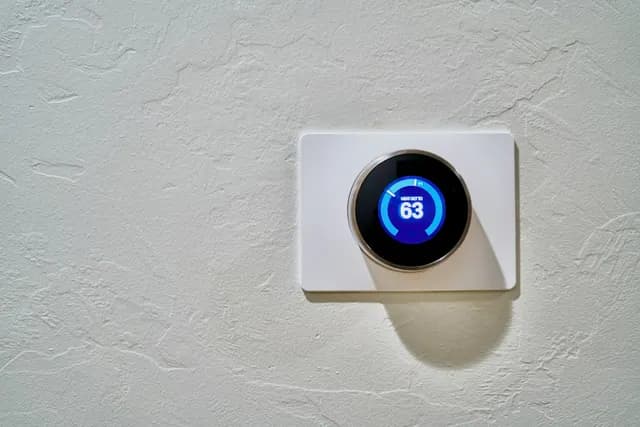
Photo: Jakub Żerdzicki · License.
The network is the part of a smart home nobody sees and everybody blames. When a camera drops at 8 p.m., a speaker stutters or a lock goes offline, the device gets returned, but the cause is usually a router or mesh system carrying more traffic than it was sized for. Parks Associates puts the average internet household at 17 devices, and a smart home project can easily double that.
This page compares the two approaches through household scenarios, cost over ten years, what older houses and different regions do to the plan, resale, common mistakes and how to read the network lines in an installer's bid. The comparison table on this page has the headline differences; the sections below show how they play out.
A wired backbone runs Ethernet to access points, cameras, the display and the rack, giving reliability at the cost of cable pulls; a wireless mesh is quicker and cheaper but shares airtime among every device. With seventeen or more devices per household, the backbone matters more than the router brand.
| Factor | Wired network backbone | Wireless mesh Wi-Fi |
|---|---|---|
| Upfront cost | $500–$2,500 for drops and switch | $200–$600 for a mesh kit |
| Lifespan | Cabling 20+ years | Routers 4–6 years |
| Maintenance | Minimal once installed | Firmware; nodes relocated as coverage shifts |
| Appearance | Hidden cabling; ceiling access points | Visible nodes on shelves |
| Reliability | Cameras and displays never drop | Edge devices drop as load rises |
| Install time | One to three days with wall access | An hour |
| Resale | Structured wiring is a listed feature | Leaves with the owner |
| Best for | Whole-home projects, cameras, theaters | Small homes, renters, quick fixes |
Wired wins for any project with cameras, a theater or more than a handful of rooms. Parks Associates counts about 17 devices on the average internet household's network, and a whole-home plan adds dozens more; wired backhaul to access points and wired runs to fixed devices keep the wireless spectrum for phones and laptops. Cabling outlives every router you will buy.
Wireless mesh wins for small homes, rentals and as a stopgap, and it is fine for a lighting-only project on a hub that keeps switches off Wi-Fi. The condition is honesty about growth: a mesh that works for ten devices may not for forty. If walls will be open for any renovation, pull cable then; the whole-home page lists where drops belong.
A two-story house with six cameras, a media room, audio in four zones and a detached garage needs a wired backbone. Cameras stream constantly, the main display streams high-bitrate video, and access points in the ceiling of each floor carry everything else. A mesh kit in that house would spend most of its airtime relaying traffic between nodes, and the devices at the edges would drop first.
A single-level apartment or small house with a doorbell, a thermostat, lights on Thread or Zigbee and a couple of streaming sticks runs well on a good mesh kit. Low-power devices on Thread, Zigbee or Z-Wave add almost nothing to Wi-Fi load because they use their own radios, so the Wi-Fi device count, not the smart device count, is the number to watch. Our analysis of the Energy Information Administration's 2024 survey found 66.5% of homes already have a streaming device.
Mesh kits are cheap to buy and install in an hour, but routers and mesh nodes are typically replaced every four to six years as Wi-Fi standards and security support move on. Over ten years, that means at least one full replacement. A wired backbone costs more upfront because of labor, at the rate Today's Homeowner puts at $80–$100/hr, but the cable itself lasts decades and only the access points and switch are replaced.
The hidden ten-year cost of an undersized network is troubleshooting: service calls, returned devices, and devices replaced because they were blamed for network faults. Parks Associates found 52% of self-installers report setup or connectivity problems. A good compromise is to wire the few devices that matter most, the access points, cameras and main display, and let everything else ride on Wi-Fi. The calculator includes a network upgrade add-on for this reason.
Wiring an older house is slower. Plaster and lath walls, balloon framing with fire blocking, masonry and finished basements all make cable paths harder to find. That raises the cost of a wired backbone and pushes some owners toward mesh with a few strategic drops. Newer houses with open attics and basements are much faster to wire, and many were built with a few network drops already in place that only need termination.
Regional construction matters too. Slab-on-grade homes common in the South and West route cable through attics, which is quick in winter and grueling in summer heat. Basement homes common in the Northeast and Midwest route cable up from below. Detached garages and outbuildings may need buried conduit or an outdoor-rated point-to-point wireless link. Our analysis of EIA data found 73.2% of occupied homes report broadband, from 71.6% in the Midwest to 74.7% in the Northeast, so the internet feed itself is rarely the constraint.
Structured wiring stays with the house and is increasingly listed as a feature, alongside other infrastructure buyers notice. Zillow's 2025 Home Trends found +34% growth in listings mentioning EV chargers, a sign that buyers value built-in capability over gadgets. A mesh kit leaves with the seller and contributes nothing to the listing.
The value comes from documentation. A labeled patch panel, a drawing that shows where each drop goes and a note of which drops serve cameras or access points turn a wall of cables into a feature. Without that, a buyer's inspector sees unexplained wires. Include the network diagram in the handover folder, and keep it with the glossary of terms the buyer may need.
Placing the router where the internet enters the house, often a corner closet or the far end of a basement, is the classic mistake. Coverage should start from the center of use, which a wired backbone makes possible. Another is running a mesh system with all nodes relaying wirelessly through each other, which halves throughput with each hop; connecting nodes with Ethernet backhaul fixes much of the problem without wiring every device.
A third mistake is ignoring segmentation. Cameras, appliances and voice devices should sit on a separate network segment from computers and phones, so a compromised device cannot reach your laptop. A fourth is skipping battery backup for the modem, router and switch, which lets a short power flicker take every camera offline. Deloitte found 70% of consumers worry about device security, and segmentation is the cheapest answer.
Ask each bidder to state the device count their network is sized for, which devices get a cable, where access points or nodes will sit, whether nodes use wired backhaul, how the network is segmented and what battery backup is included. A bid that lists only a router model has not designed a network. Ask how many devices the proposed equipment supports and what happens when you add ten more.
Also ask who manages the network after handover. Some installers manage it remotely under a support plan, which helps with updates but requires trust and a clear exit. Make sure the administrator login is yours. The whole-home automation page covers the network section of a proposal, and the estimate request page lets you ask several installers to price the same network scope.
Homeowner polls
Parks Associates puts the average U.S. internet household at about 17.
No votes yet. Yours will be the first. · saved on this device
No votes yet. Yours will be the first. · saved on this device
No. Prioritize access point locations on each floor, every camera position, the display and rack, and the garage or outbuilding. Bedrooms and offices can use Wi-Fi from a well-placed access point. Two drops per key location cost little extra during the same pull.
Partly. A Thread, Zigbee or Z-Wave hub takes switches, sensors and locks off Wi-Fi, which relieves the router considerably. Cameras, displays, streaming and voice devices still need bandwidth and coverage, so the hub complements a good network rather than replacing it.
Backhaul is the link that carries traffic between mesh nodes. With wireless backhaul, nodes share airtime relaying each other's traffic, which reduces speed at each hop. With Ethernet backhaul, nodes connect by cable, so all their wireless capacity serves devices. It is often the most cost-effective upgrade for a mesh system in a house that has a few cable paths available.
Many installers use Category 6 or 6A for new runs, which supports current multi-gigabit speeds over typical residential distances and leaves headroom. The installation quality, including terminations, bend radius and separation from electrical wiring, matters as much as the category. Ask the installer to test and label every run and include the results in the handover.
Sometimes. Powerline adapters send data over electrical wiring and vary widely in performance depending on the circuits involved. Adapters that use existing coaxial cable are often more consistent. Both can provide backhaul to a mesh node or a wired connection to a display where pulling new cable is impractical, though neither matches a dedicated Ethernet run.
A few can, if the mesh has strong coverage at each camera and the camera count is small. Cameras upload continuously or in bursts, which competes with everything else on the network. For more than a handful of cameras, or cameras at the edges of the property, a cable to each one is far more reliable and also powers the camera.
Install firmware updates whenever the maker releases them, ideally automatically, and plan to replace routers and access points once the maker stops issuing security updates. Switches and cable last much longer. Keep a record of each device's model and purchase date in the handover folder so you know when support is likely to end.
Less than it sounds. Many current routers and access points offer a guest or IoT network in a few settings, and more advanced systems support VLANs with rules between segments. The main work is choosing which devices go where and checking that phones can still reach the devices they control. An installer should set this up and document it.
 ComparisonShared consumer platform vs Professional dealer-installed system
A consumer platform suits one to five rooms and one or two subsystems that someone in the house is happy to manage.
 ComparisonSmart switches and dimmers vs Smart bulbs
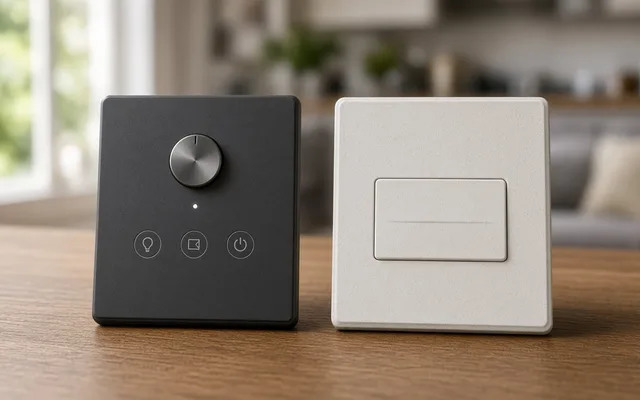
Use smart switches and dimmers for ceiling fixtures, recessed lights and any room several people share, because the wall control keeps working and every bulb on the circuit becomes smart.
 ComparisonLocal recording (base station or NVR) vs Cloud subscription storage
Local recording on a network video recorder or base station suits permanent cameras, privacy-minded households and areas with unreliable internet, because it keeps recording with no monthly fee.
 ComparisonDedicated theater room vs Living-room media setup
A living-room media setup delivers most of the cinematic experience for a fraction of the cost in a room the family already uses.
 Service guideWhole-Home Automation
Whole-home automation connects lighting, climate, locks, cameras, shades and audio under one interface with scenes and schedules.
 Service guideSmart Lighting Control
Smart lighting control replaces switches and dimmers, or adds keypads and schedules, so rooms respond to scenes, timers and occupancy while the wall switch keeps working.
 Service guideHome Security & Surveillance
Home security and surveillance covers cameras, door and window sensors, motion detection, video doorbells and smart locks, with or without a monitoring service.
 Service guideHome Theater & Audio
Home theater and audio installation covers dedicated theaters, living-room media setups and multi-room audio, including speakers, displays, receivers, cabling, equipment placement and the controls the household uses daily.
 Free toolSmart home cost calculator: size a budget by control points
Size, material tier and complexity in, a realistic budget range out.
 Free toolSmart home readiness quiz: do you know the details installers will ask about?
10 questions that show what you already know and what to check next.
 Free toolSmart home polls: how other homeowners weighed the same decisions
See what other planners chose and add your vote.
Tell us the size, the condition of what is there now, and what you want to change. Home Control Notes passes your request to independent local professionals, who reply with written, no-obligation estimates. The service is free to use.