How do you want camera recordings stored?
No votes yet. Yours will be the first. · saved on this device
Loading...
Home Control Notes · Local recording (base station or NVR) vs Cloud subscription storage
Local recording on a network video recorder or base station suits permanent cameras, privacy-minded households and areas with unreliable internet, because it keeps recording with no monthly fee. Cloud storage suits one or two cameras, renters and anyone who values simplicity and off-site copies. Many households combine them: continuous local recording plus cloud clips of key events.
Photo: Dan LeFebvre · License.
The storage decision sets the camera system's monthly bill, its privacy posture and what happens during the one event you actually need footage of. It is also the decision most often made by default, because the camera box includes a trial subscription and nobody revisits it. Choosing on purpose means weighing ten-year cost, outage behavior, where footage physically sits, how long it is kept and who can reach it.
This page works through household scenarios, costs over a decade, outage and theft risks, privacy, common mistakes and how to compare bids that propose different approaches. The table on this page covers the headline differences; the sections below help you apply them to your house, and the permits guide covers the state rules on recording audio.
Local recording keeps footage on site with no monthly fee and keeps working through internet outages; cloud storage is simpler, accessible anywhere, and stops when the subscription or the connection lapses. Many households combine local continuous recording with cloud clips.
| Factor | Local recording (base station or NVR) | Cloud subscription storage |
|---|---|---|
| Upfront cost | $150–$800 recorder plus a UPS | Low; cameras only |
| Recurring cost | $0 | $3–$20 per camera or plan per month (SoFi: $10–$50 general subscriptions) |
| Lifespan | Drive 3–5 years, recorder 5–10 | As long as the service and plan exist |
| Maintenance | Backups, drive replacement, firmware | None beyond paying |
| Offline behavior | Keeps recording | Usually stops |
| Privacy | Footage stays in the house | Footage on the maker's servers |
| Retention | Continuous until overwritten; weeks | Clips, typically 30–60 days |
| Best for | Permanent cameras, outage-prone areas, privacy-focused owners | Renters, one or two cameras, simplicity |
Local recording wins for permanent camera positions, homes that lose internet, and anyone who wants footage to remain on the property. Over five years a $15 monthly plan totals $900, which buys a good recorder, and Deloitte's finding that 70% of consumers worry about connected-device privacy is an argument for keeping video local. The conditions are a battery backup and a backup plan for the drive.
Cloud wins for a doorbell and one or two cameras where simplicity matters more than cost, for renters, and as a secondary copy of clips from a local system. It is the wrong sole choice for a full system, because everything depends on a subscription and a connection you do not control. See the security page for retention and export details.
A homeowner with four to eight wired cameras covering entries, the driveway and the yard is the classic local-recording case. The cameras are permanent, footage volume is high, and a recorder stores weeks of continuous video without a per-camera fee. A renter with a video doorbell and one indoor camera is the classic cloud case: no hardware to maintain, clips reachable from anywhere, and nothing to leave behind at move-out.
The hybrid case is common. A household records continuously to a local recorder, then sends motion clips from the front door and driveway to a cloud plan, so a thief who takes the recorder does not take the evidence. SafeWise's 2025 research found ~50% of households use security cameras, and Parks Associates found 20% of internet households have a video doorbell, which is often the first device where the storage question comes up.
Local recording is mostly an upfront cost: the recorder, surveillance-rated drives and a battery backup, with drives replaced every few years. After that, the monthly cost is zero. Cloud storage is mostly a recurring cost: per-camera or per-household plans that renew monthly or yearly and tend to rise over time. The lower the camera count, the better cloud looks; the higher the count and the longer the horizon, the better local looks. Recurring fees also stack up beyond storage: SoFi puts professional security monitoring at $30–$60/mo, a second subscription that many camera owners carry alongside cloud plans.
To compare honestly, multiply each cloud plan by 120 months and add any price increases you expect, then compare that with the recorder, drives, backup power and one drive replacement. Include monitoring separately, since some monitoring plans bundle cloud video. The security cost guide shows how these lines sit beside installation.
Entry cloud plans start low. Security.org's May 2026 guide lists $2.99–$10/mo for the three biggest brands, and the table in this section adds the others. Those entry tiers usually cover one camera or a short clip history; multi-camera and longer-retention tiers cost more. At Nest's $10 a month, one plan comes to $1,200 over ten years before any price increase, which is more than HomeAdvisor's $150 to $500 range for a network video recorder.
| Brand | Entry cloud plan | Source |
|---|---|---|
| Wyze | $2.99/mo | Security.org, May 2026 |
| Blink | $3.99/mo | Security.org, May 2026 |
| Eufy | $3.99/mo | Security.org, May 2026 |
| Ring | $4.99/mo | Security.org, May 2026 |
| Arlo | $9.99/mo | Security.org, May 2026 |
| Google Nest | $10/mo | Security.org, May 2026 |
A local recorder on a battery backup keeps recording through an internet outage and, for a while, through a power cut, as long as the cameras are powered over Ethernet from a backed-up switch. Cloud cameras usually stop uploading when the internet drops; some buffer to an onboard card, many simply miss the event. If your area loses internet or power often, that single behavior can decide the whole question.
Theft cuts the other way. A recorder in an obvious location can be taken with its footage, while cloud clips are already off site. The defense for local systems is a hidden or locked recorder location and a small cloud or remote backup of key events. Ask each bidder where the recorder will sit, how it is powered, and what happens to recording if the router or modem is removed.
Local footage stays in the house unless you choose to view it remotely, which means the maker cannot access it and a breach of their servers does not expose it. Cloud footage sits on the maker's infrastructure under their policies, which may allow employee access for support, law enforcement requests under their terms, or use of data to improve products. Deloitte found 70% of consumers worry about connected-device privacy, and indoor cameras are where that worry is most justified.
Either way, the network matters. Put cameras and the recorder on their own segment, change every default password, enable two-factor authentication on any cloud or remote-access account and keep firmware current. The privacy concern poll shows what other households worry about most. Indoor cameras deserve the strictest settings: local storage, privacy shutters or schedules, and clear rules for household members and visitors.
The first regret is discovering retention after the event. Cloud plans may keep clips for a limited number of days, and local drives overwrite the oldest footage when full; if you learn of a problem two weeks later, the footage may be gone. Know your retention period and how to export a clip before you need it. The second regret is a recorder with no battery backup, which goes dark during the storms when break-ins and damage are most likely.
A third regret is buying cameras that lock you into one maker's cloud with no local option, then facing a price increase with no alternative. Before buying, check whether the camera supports a standard streaming protocol or local recording to a card or recorder. Parks Associates found 52% of self-installers hit setup problems, and camera systems are among the most network-sensitive devices in the house.
Line up the bids on the same camera count, locations and resolution, then compare storage as a ten-year cost, not an installation price. A bid with no recorder will look cheaper on day one. Ask each bidder for retention in days at your camera count, outage behavior with the router unplugged, whether cameras work with other recorders or platforms, and every recurring fee with its term.
Also ask how footage is exported and shared, because insurers and police want a clean copy with timestamps, and carriers that offer smart-device discounts of 5–13%, per SmartFinancial, may ask for activation records. Parks Associates found smart lock ownership of 25% vs 3% in homes with and without a security system, so camera bids often arrive bundled with locks and monitoring. Separate those lines so you can compare storage on its own. The security service page covers placement and coverage.
Homeowner polls
No votes yet. Yours will be the first. · saved on this device
No votes yet. Yours will be the first. · saved on this device
No votes yet. Yours will be the first. · saved on this device
Yes; recorders and base stations offer remote viewing through their apps, often without a fee. The difference from cloud is where the footage lives, not whether you can see it from your phone. Set up two-factor authentication on the recorder account and keep its firmware updated.
It goes with the recorder, which is why a hidden or locked location and a cloud copy of clips are the usual safeguards. Some systems encrypt the drive and upload event clips automatically. Ask the installer how the recorder is secured and whether event clips can be mirrored off site.
Some plans offer continuous recording, usually at a higher monthly price and with shorter retention, and they need steady upload bandwidth for every camera. Most consumer plans record event clips triggered by motion or people detection. If continuous footage matters, compare the cost of continuous cloud plans for all cameras against a local recorder, which records continuously by default.
Drives in recorders run constantly and wear out faster than drives in a desktop computer. Surveillance-rated drives are designed for this duty, and many installers plan to replace them every few years. Most recorders report drive health, so check it periodically and replace a drive that starts logging errors rather than waiting for failure.
It can. Each camera uploads video whenever it records, and several high-resolution cameras sending clips at once can saturate a modest upload connection, slowing video calls and other devices. Check your plan's upload speed before choosing cloud storage for many cameras, or reduce upload resolution for less critical views.
Only if the cameras support it. Some consumer cameras record only to their maker's cloud, while others support a memory card, a base station or a standard protocol that third-party recorders understand. Check this before buying. Wired cameras powered over Ethernet from established makers generally offer the most flexibility to change storage later.
Generally yes, as long as it is exported cleanly with correct timestamps and the recorder's clock is set accurately. Keep the system time synchronized, know how to export a clip to a USB drive or file, and save the original rather than a phone recording of the screen. Ask the installer to show you the export process at handover.
Not usually. Many doorbells record clips to the cloud, and some record locally to a base station or chime unit. For most households one method is enough. Doorbells covering a package-theft hot spot or a shared entry may justify both, so that a clip survives if the doorbell itself is stolen or damaged.
 ComparisonShared consumer platform vs Professional dealer-installed system
A consumer platform suits one to five rooms and one or two subsystems that someone in the house is happy to manage.
 ComparisonSmart switches and dimmers vs Smart bulbs
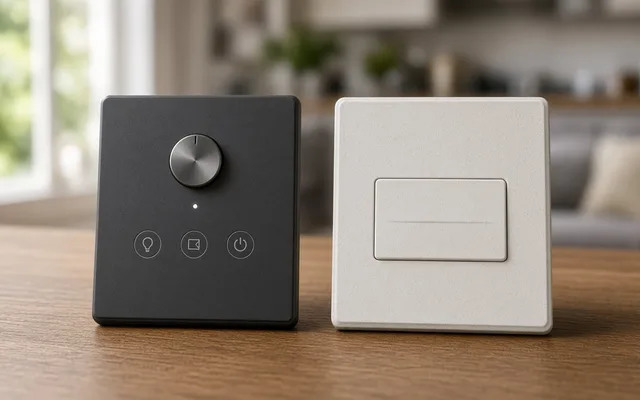
Use smart switches and dimmers for ceiling fixtures, recessed lights and any room several people share, because the wall control keeps working and every bulb on the circuit becomes smart.
 ComparisonWired network backbone vs Wireless mesh Wi-Fi
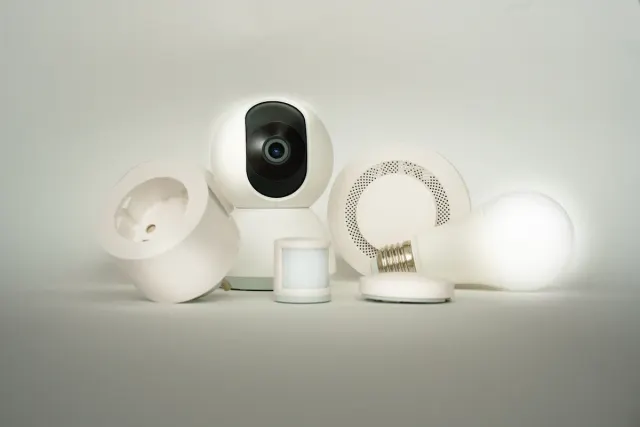
A wired backbone, with Ethernet to access points, cameras, the main display and the equipment rack, is the reliable choice for whole-home projects and camera systems.
 ComparisonDedicated theater room vs Living-room media setup
A living-room media setup delivers most of the cinematic experience for a fraction of the cost in a room the family already uses.
 Service guideWhole-Home Automation
Whole-home automation connects lighting, climate, locks, cameras, shades and audio under one interface with scenes and schedules.
 Service guideSmart Lighting Control
Smart lighting control replaces switches and dimmers, or adds keypads and schedules, so rooms respond to scenes, timers and occupancy while the wall switch keeps working.
 Service guideHome Security & Surveillance
Home security and surveillance covers cameras, door and window sensors, motion detection, video doorbells and smart locks, with or without a monitoring service.
 Service guideHome Theater & Audio
Home theater and audio installation covers dedicated theaters, living-room media setups and multi-room audio, including speakers, displays, receivers, cabling, equipment placement and the controls the household uses daily.
 Free toolSmart home cost calculator: size a budget by control points
Size, material tier and complexity in, a realistic budget range out.
 Free toolSmart home readiness quiz: do you know the details installers will ask about?
10 questions that show what you already know and what to check next.
 Free toolSmart home polls: how other homeowners weighed the same decisions
See what other planners chose and add your vote.
Tell us the size, the condition of what is there now, and what you want to change. Home Control Notes passes your request to independent local professionals, who reply with written, no-obligation estimates. The service is free to use.